Fingers Sore and Stiff From Typing? Finger Care for Office Workers: Desk Setup, 6 Stretches and When to See a Doctor
The short answer: aching, tight, stiff fingers from long hours of typing are often linked to wrists bent up or sideways, arms held unsupported, and staying in one position for hours. We suggest tackling it in this order: first reposition your keyboard and mouse so your wrists stay straight; then build in a short break every 30–60 minutes; and finally add gentle finger stretches. But if a finger locks and won't straighten, your fingers go numb (especially at night), a joint is red and swollen, or morning stiffness lasts more than half an hour, it's more than tiredness. Please see a rehabilitation or orthopaedic specialist.
This article is general health information. Braces give support and a posture reminder and do not treat any condition. See a doctor if you have symptoms.
You finish the last email of the day, and your fingers feel like they won't quite do what you tell them.
You make a fist when you wake up, and your knuckles feel tight until you've moved them for a bit.
After holding the mouse all day, the area between your thumb and index finger aches.
For office workers who spend eight or more hours a day at a computer, these feelings are so common that many people assume "that's just how it is".
But aching, stiff fingers can sometimes be a reminder that the way you work, and the pace you work at, need adjusting.
This article covers the finger care office workers can do themselves, starting with the most fundamental part: your desk setup.
Why does typing make fingers ache, hurt and stiffen?
Typing looks like a light activity, but it has a few particular features:
- A huge number of repetitions: your fingers make small, quick bending and straightening movements all day.
- A fixed position for a long time: your wrists, forearms and shoulders stay at the same angle for hours.
- Very little real rest: in the gaps between typing, your hands often hover over the keyboard, or you switch to scrolling your phone.
The UK's NHS groups aches, tightness, weakness and tingling that come from repeatedly using a part of the body under "repetitive strain injury" (RSI), and typing is one of the examples often mentioned.
On top of that, these habits tend to make your fingers and wrists work harder:
- Typing with your wrists bent upwards, or angled towards your little finger
- A keyboard that's too high or too far away, so you reach forward with your shoulders hunched
- Resting your wrists on the hard edge of the desk while you type
- A mouse placed too far away, so your whole arm is stretched out
- Typing hard, hitting every key all the way down
- Spending hours scrolling your phone with your thumb after work
First, tell them apart: ordinary tiredness, or a sign to take seriously?
There are many reasons fingers feel uncomfortable. The table below can help you sort them roughly. It isn't a diagnosis; it's to help you decide whether to adjust things yourself first, or see a doctor first.
| What you feel | Possible direction | Suggestion |
|---|---|---|
| Aching and tightness that eases after a rest or by the next day | Overuse, postural load | Adjust your desk and work rhythm first, with gentle stretches |
| A finger catches when bent and clicks as it straightens | May be related to trigger finger | Cut down on forceful gripping; see a doctor if it persists |
| Pain on the thumb side of the wrist, worse when twisting or turning | May be related to De Quervain's | Cut down on triggering movements; see a doctor if it persists |
| Numbness or tingling in the thumb, index and middle fingers, worse at night | May be related to carpal tunnel syndrome | Get it assessed by a doctor |
| Several finger joints swollen and painful, on both hands, with morning stiffness over 30 minutes | Possibly an inflammatory joint condition | Get assessed by a rheumatologist |
We explain how to tell trigger finger and De Quervain's apart here: Trigger finger vs De Quervain's: where it hurts, how to tell them apart and choosing a brace.
If you already know it's trigger finger, see trigger finger self-care and when to wear a finger splint; if the pain is at the base of the thumb or the side of the wrist, see Pain at the base of the thumb: is it De Quervain's? Self-test and choosing a wrist brace.
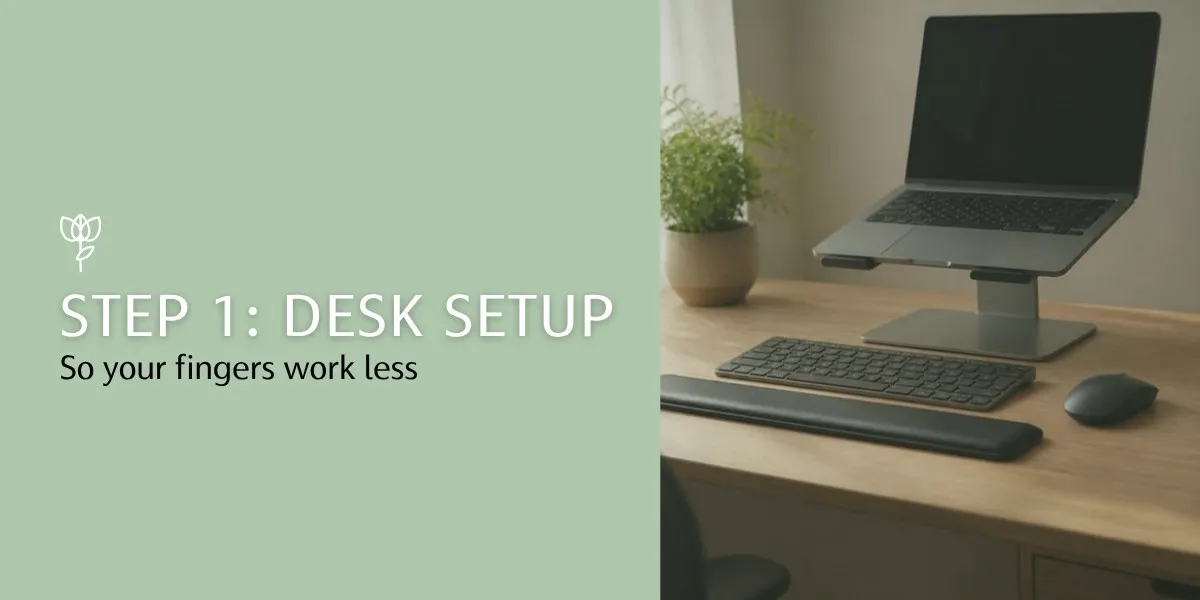
Step 1: Desk setup, so your fingers stop doing extra work
Many people reach for a stretch as soon as their hands ache, but if the position you hold for eight hours a day doesn't change, five minutes of stretching struggles to keep up.
Based on office ergonomics guidance from the US Occupational Safety and Health Administration (OSHA) and Mayo Clinic, start by checking these points:
Keyboard: about the same height as your elbows
- Sit well with your shoulders relaxed, and let your upper arms hang naturally by your sides
- Bend your elbows so your forearms are roughly parallel to the floor, with the keyboard at about elbow height
- Keep your wrists straight while typing: not bent up, not pressed down, and not angled left or right
- Only use the little feet at the back of the keyboard if they make your wrists straighter; if raising them bends your wrists upwards, fold them away
Mouse: close by, on the same surface as the keyboard
- Keep the mouse within easy reach, at the same height as the keyboard
- Don't grip the mouse tightly; move it with your whole arm rather than just flicking your wrist
- Swap frequent actions for keyboard shortcuts so you click less
- Some people turn up the mouse sensitivity a little so a lighter movement moves the cursor
Wrist rests: lean on them during pauses, not while typing
A wrist or palm rest is for resting your hands in the gaps between typing. If you keep your wrists pressed on the rest or the desk edge while typing, your fingers have to bend more sharply to reach the keys.
Laptop users: use an external keyboard where you can
A laptop's keyboard and screen are joined. Raise the screen to eye level and the keyboard is too high; put the keyboard in the right place and you have to look down at the screen. If you work on a laptop for long periods, consider an external keyboard and mouse, with the laptop raised up.
Typing force: lighter is enough
Many people are used to hitting every key all the way down. Try typing with "just enough" force to press the key, and your fingers will have a much easier time.

Step 2: Work rhythm, where micro-breaks matter more than one long stretch
Once your setup is sorted, the next thing is rhythm.
- Every 30–60 minutes, take your hands off the keyboard: stand up, get a glass of water, shake out your hands and spread your fingers. Even 30 seconds to a minute helps.
- Mix up different types of work: alternate typing with phone calls, reading and meetings, rather than typing for hours on end.
- Don't switch to your phone during breaks: if your thumb is scrolling all through lunch, your hands haven't really rested.
- Use reminders: often it isn't that people don't want to take breaks, they just forget. A phone alarm, a Pomodoro timer app or a smartwatch's inactivity reminder all work.
Don't forget your phone time after work
Many people type all day at work, then scroll their phone for hours afterwards. For your fingers, that's overtime.
Holding the phone in one hand and swiping with your thumb, in particular, keeps the thumb and wrist working the whole time.
A few simple adjustments:
- Hold your phone with both hands, or use it on a desk or stand
- Swipe with your index finger to give your thumb a rest
- Use voice typing for longer messages, or go back to your computer keyboard
- Put the phone down for a while before bed, to rest both your hands and your eyes
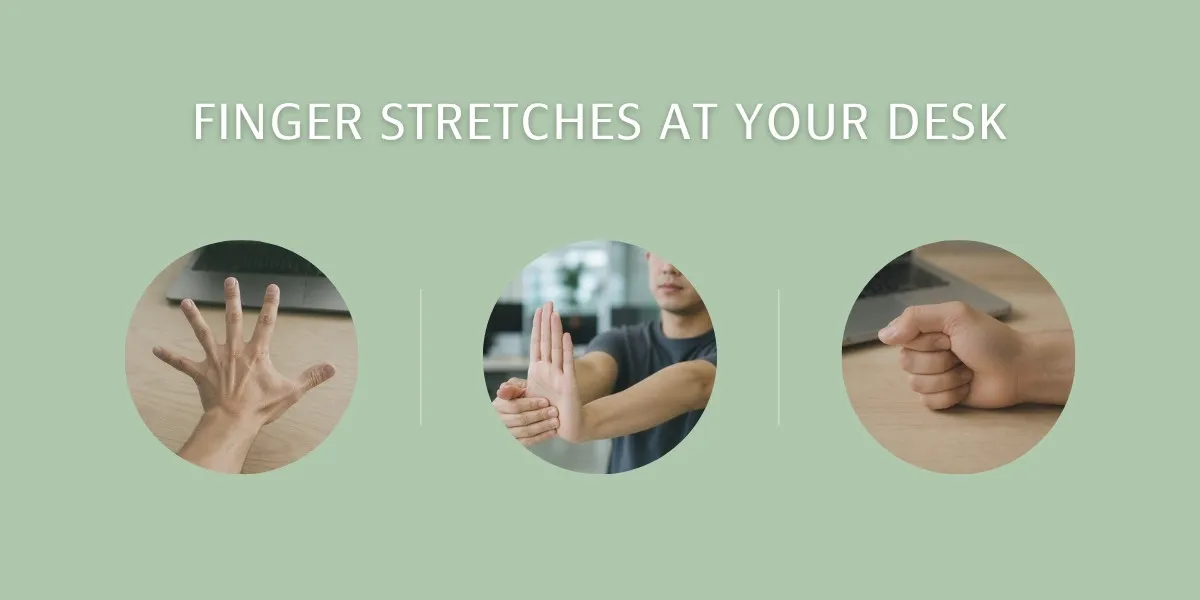
Step 3: 6 finger stretches you can do at your desk
You can do these sitting in your office chair, with no equipment (the last one needs a rubber band).
Before you start, remember: a stretch should feel "tight", not "painful". If you feel sharp pain, increasing numbness, or worse afterwards, stop and consider seeing a doctor.
Exercise 1: Tendon glides
This is a sequence often used in hand therapy, moving the finger tendons through different positions.
- Movement: fingers straight and open (start position) → bend only the knuckles at the base of the fingers, keeping the fingers straight, like a small table (tabletop) → back to start → keep the base knuckles straight and bend the middle and end joints so the fingertips touch the base of the fingers (hook fist) → back to start → make a gentle fist without squeezing (full fist) → back to start.
- Reps/hold: hold each position for 3–5 seconds, go through the whole sequence 5 times, 2–3 times a day.
- Caution: move slowly and gently, and don't squeeze. If a finger catches along the way, don't force it; note it and watch whether you need to see a doctor.
Exercise 2: Finger spread and close
- Movement: with your palm facing down, on the desk or in the air, spread all five fingers as wide as you can and hold; then slowly bring them together.
- Reps/hold: hold the spread for 5 seconds, repeat 10 times, 2–3 times a day.
- Caution: keep your wrist straight throughout, and don't let it lift with the fingers.
Exercise 3: Wrist flexor stretch
- Movement: stretch one arm out in front with the palm facing up; with your other hand, gently draw the fingers down and back towards you until you feel a stretch along the inside of the forearm.
- Reps/hold: hold for 15–20 seconds, 2–3 times on each side.
- Caution: keep the elbow straight but not locked. If your fingers go numb during the stretch, reduce the range or leave it for another day.
Exercise 4: Wrist extensor stretch
- Movement: stretch one arm out in front with the palm facing down; with your other hand, gently press the back of the hand down and towards you until you feel a stretch along the outside of the forearm.
- Reps/hold: hold for 15–20 seconds, 2–3 times on each side.
- Caution: use light pressure; a feeling of stretch is enough. If the outside of your elbow already hurts, start with a small range.
Exercise 5: Thumb movement
After a day of holding the mouse and scrolling your phone, the thumb is often the most tired finger.
- Movement: touch the tip of your thumb lightly to the tip of your index, middle, ring and little finger in turn, making an "O" each time; then move your thumb outwards, away from the index finger, hold, and bring it back.
- Reps/hold: 5 rounds of fingertip touches; hold the thumb out for 5 seconds, 5 times. 2–3 times a day.
- Caution: if you feel a sharp pain on the thumb side of the wrist as you move your thumb outwards, stop. This may be related to De Quervain's, and it's best not to keep stretching it.
Exercise 6: Rubber band finger extension
Typing and using a mouse are mostly about bending the fingers. This movement gets the muscles that open them working too.
- Movement: put a rubber band or hair tie around all five fingers (near the fingertips), slowly spread your fingers outwards against it, then slowly bring them back.
- Reps/hold: 12–15 times per set, 1–2 sets a day.
- Caution: choose a band with moderate tension, and don't let it dig in until your fingers go red or numb. If a finger is catching or painful, skip this one for now.
A sample day
| When | Suggestion | Roughly |
|---|---|---|
| Before work or when you first sit down | Check keyboard, mouse and chair height; Exercise 1 tendon glides | 2 minutes |
| Every 30–60 minutes | Hands off the keyboard, Exercise 2 spread and close, shake out your hands | 30 seconds–1 minute |
| After lunch | Exercises 3 and 4 wrist stretches, Exercise 5 thumb movement | 3 minutes |
| Before leaving work | Exercise 6 rubber band extension, and another round of Exercise 1 | 3 minutes |
You don't have to do every item. Pick one or two that are easiest to do, and add more once they've become a habit.
When can a brace help?
To be clear first: a brace can't replace adjusting your desk or taking breaks. If your posture and rhythm don't change, nothing you wear will keep up with eight hours a day of strain.
In these situations, a brace can be a useful aid:
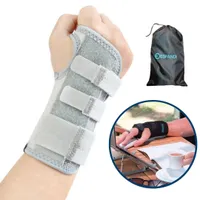
- You want your wrist to stay at a straighter angle while resting or sleeping: the aluminium-stay wrist brace supports the inside of the wrist with an aluminium stay, and three hook-and-loop straps let you adjust the fit.
- A finger often locks, and your doctor suggests resting it straight: the finger splint with aluminium stay holds a single finger in a straight position.
- The thumb side of your hand and wrist tires easily, and you need the thumb held too: the thumb stabilising wrist brace wraps both the thumb and the wrist.
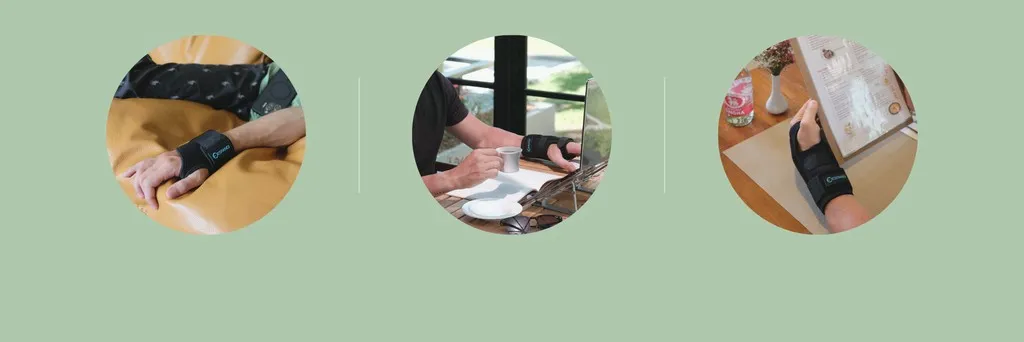
When wearing one:
- You don't need to wear it all day. Keeping a joint completely still for long periods can make it stiffer. After a while, take it off and move your fingers.
- Fasten it to a comfortable fit. If you notice numbness, coldness, red pressure marks or a change in finger colour, loosen it or take it off.
- For how to put it on, see the fitting instructions.
For more support products for people who type for long hours, browse the keyboard fatigue range and the finger splint range.
When should you see a doctor?
After adjusting your posture, building in breaks and stretching for a while, if any of the following apply, we suggest seeing a rehabilitation or orthopaedic specialist:
- The aching hasn't eased with rest and adjustments, or it's getting worse
- A finger locks and won't straighten, or you often need your other hand to straighten it
- Numbness or tingling in your fingers, especially if it wakes you at night or lasts longer and longer
- A weaker grip, trouble doing up buttons, or often dropping things
- A joint is red, swollen and warm
- Several finger joints are swollen and painful at once, on both hands, or morning stiffness lasts more than half an hour. In this case, we suggest seeing a rheumatologist
- Pain is affecting your work or sleep
Some employers offer occupational health advice, so it's also worth asking whether someone can help assess your workstation.
Braces mentioned in this article
This article is general health information. Braces give support and a posture reminder and do not treat any condition. See a doctor if you have symptoms.
What customers say about the Aluminium-Stay Wrist Brace | Wrist Support for Computer Users, Adjustable Hook-and-Loop
Reviews are customers' personal experiences and do not represent product performance.
- ★★★★★
品質:品質看起來不錯 和圖片相符:和相片相符合 戴起來的感覺還不錯要試用看看 還蠻舒適不會有壓迫感
4*****x · 2025-07-09
- 30-day trial, returns accepted
- Ships from Taiwan in 1–3 days
- Sizing help on LINE
FAQ
Q: Can typing deform my finger joints?
A: There are many reasons finger joints change shape, and a doctor needs to assess them; typing alone can't explain it. If you notice joints that stay swollen or change shape, or several joints swollen and painful at once, get them checked rather than guessing.
Q: My knuckles "crack" when I press them. Is that a problem?
A: If it's just a sound, without pain or swelling, it's usually nothing to worry about. But if it comes with catching or pain, or the finger clicks at a particular point as it bends and straightens, it may be related to trigger finger or something similar, and it's worth getting checked.
Q: How long before I notice a difference from stretching?
A: Everyone is different, and there's no set timeline. The point of these movements is regularity and breaking up long spells in one position, not doing as many as possible. If nothing has got better after a while, get it checked by a doctor.
Q: Do I need an ergonomic keyboard or vertical mouse?
A: Not necessarily. Positioning your existing keyboard and mouse properly and adjusting your chair and desk height often makes a big difference. If your wrists still won't stay straight after that, consider other equipment, and a physiotherapist or occupational therapist can also advise.
Q: Heat or ice?
A: For simple aching, tightness and stiffness, some people soak their hands in warm water or use a warm compress to relax them. If there are signs of acute inflammation such as redness, swelling and warmth, ice is usually suggested first, along with seeing a doctor. If you're unsure, ask your doctor first.
Q: Should I wear a wrist brace while typing?
A: Some people wear a light wrist brace while typing as a reminder not to bend their wrists upwards, but firmer braces that hold the wrist still are usually better suited to resting or sleeping. Whatever you wear, take it off after a while and move your hand, rather than keeping it still all day.
※ This article is general health information for reference only and is not a substitute for professional diagnosis. Stop straight away if pain or numbness increases during any movement. If you have persistent pain, numbness or swollen joints, please see a doctor promptly.
Keep reading
Wrist Pain and Mouse Wrist: When to Wear a Wrist Brace and How to Choose One, for Office Workers
Staring at a screen all day, your wrist feels a bit off but you carry on - that's everyday life for many office workers. But "occasional discomfort" left too long...
Trigger Finger Self-Care: 5 Home Exercises and When to Wear a Finger Splint
Does a finger lock up in the morning and then snap straight with a "click"? That may be trigger finger. This article explains the causes from a physiotherapy perspective, what...
A Finger That Locks, or Pain at the Wrist? Trigger Finger vs De Quervain's in One Table
A finger that locks first thing in the morning, and a thumb that hurts at the wrist every time you wring out a towel: are they the same thing? Trigger...